
Kodeclik Blog
Test if a Javascript string is a number
In your Javascript journey, you will come across scenarios where you have a string value stored in a variable (e.g., “123”, “45.6”) and you wish to test if that value is a number (or can be interpreted as a number).
Here are two ways to check if a Javascript string is a number.
Method 1: Use the isNaN() function
In this approach, we use the isNaN() function to check if a string is a number. isNaN() checks if a value is not a number. It returns true if the value is not, and false if it’s a number. Here's an example of a Javascript form that asks you to input some value and then tests if it is a number using this approach.
<!DOCTYPE html>
<html>
  <head>
    <title>Check if Number</title>
  </head>
  <body>
    <form>
      <label for="input">Enter a value:</label>
      <input type="text" id="input" name="input"><br><br>
      <button type="button" onclick="checkNumber()">Check if Number</button>
    </form>
    <p id="result"></p>
    <script>
      function checkNumber() {
        let input = document.getElementById("input").value;
        if (isNaN(input)) {
          document.getElementById("result").innerHTML =
                input + " is not a number";
        } else {
          document.getElementById("result").innerHTML =
                input + " is a number";
        }
      }
    </script>
  </body>
</html>
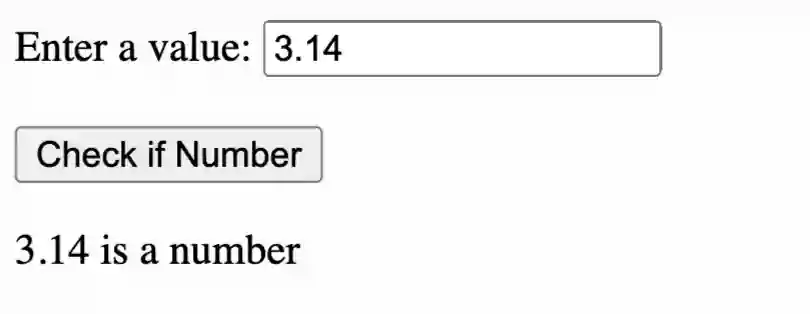
This code above creates a form with an input field and a button. When the button is clicked, it calls the checkNumber() function. This function gets the value of the input field and checks if it's a number using the isNaN() function. If the input is not a number, it displays a message saying so. If it is a number, it displays a message saying that it's a number. The message is displayed in a paragraph element with the id "result".
Here is an example of how it looks:
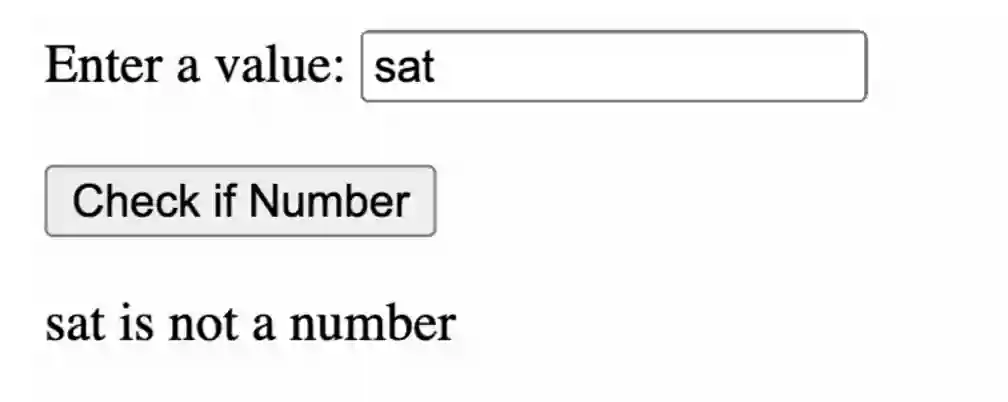
If you enter some obviously non-numeric value, e.g., “sat” it will say that it is not a number:
Method 2: Use a regular expression
In our second approach, we can use a regular expression to check if the string contains only digits, accounting for the possibility of negative numbers and decimal points (which are optional). Here is the updated Javascript code:
<!DOCTYPE html>
<html>

<head>
  <title>Check if Number</title>
</head>

<body>
  <form>
    <label for="input">Enter a value:</label>
    <input type="text" id="input" name="input"><br><br>
    <button type="button" onclick="checkNumber()">Check if Number</button>
  </form>
  <p id="result"></p>
  <script>
    function checkNumber() {
      let input = document.getElementById("input").value;
      if (/^-?\d*\.?\d+$/.test(input)) {
        document.getElementById("result").innerHTML =
              input + " is a number";
      } else {
        document.getElementById("result").innerHTML =
              input + " is not a number";
      }
    }
  </script>
</body>

</html>
This code above, like the earlier example, creates a form with an input field and a button. When the button is clicked, it calls the checkNumber() function. This function gets the value of the input field and checks if it's a number using a regular expression. The regular expression /^-?\d*\.?\d+$/ checks if the input string starts with an optional minus sign (-), followed by zero or more digits (\d*), followed by an optional decimal point (\.?), followed by one or more digits (\d+). If the input matches this pattern, it's considered a number, including floating point numbers. If it doesn't match the pattern, it's not a number. The message is displayed in a paragraph element with the id "result".
The functionality will be the same as before.
If you liked this blogpost, checkout our post on how to add commas to a Javascript number.
Want to learn Javascript with us? Sign up for 1:1 or small group classes.