
Kodeclik Logo

Learn More

Fall 2025

Kodeclik Blog

Printing a line break in Python

When it comes to printing output in expressive ways, including line breaks or newlines, Python is a very versatile language offering a lot of options. In this blog post, we will explore different methods to print line breaks in Python, enabling you to format your output effectively and enhance the readability of your code.

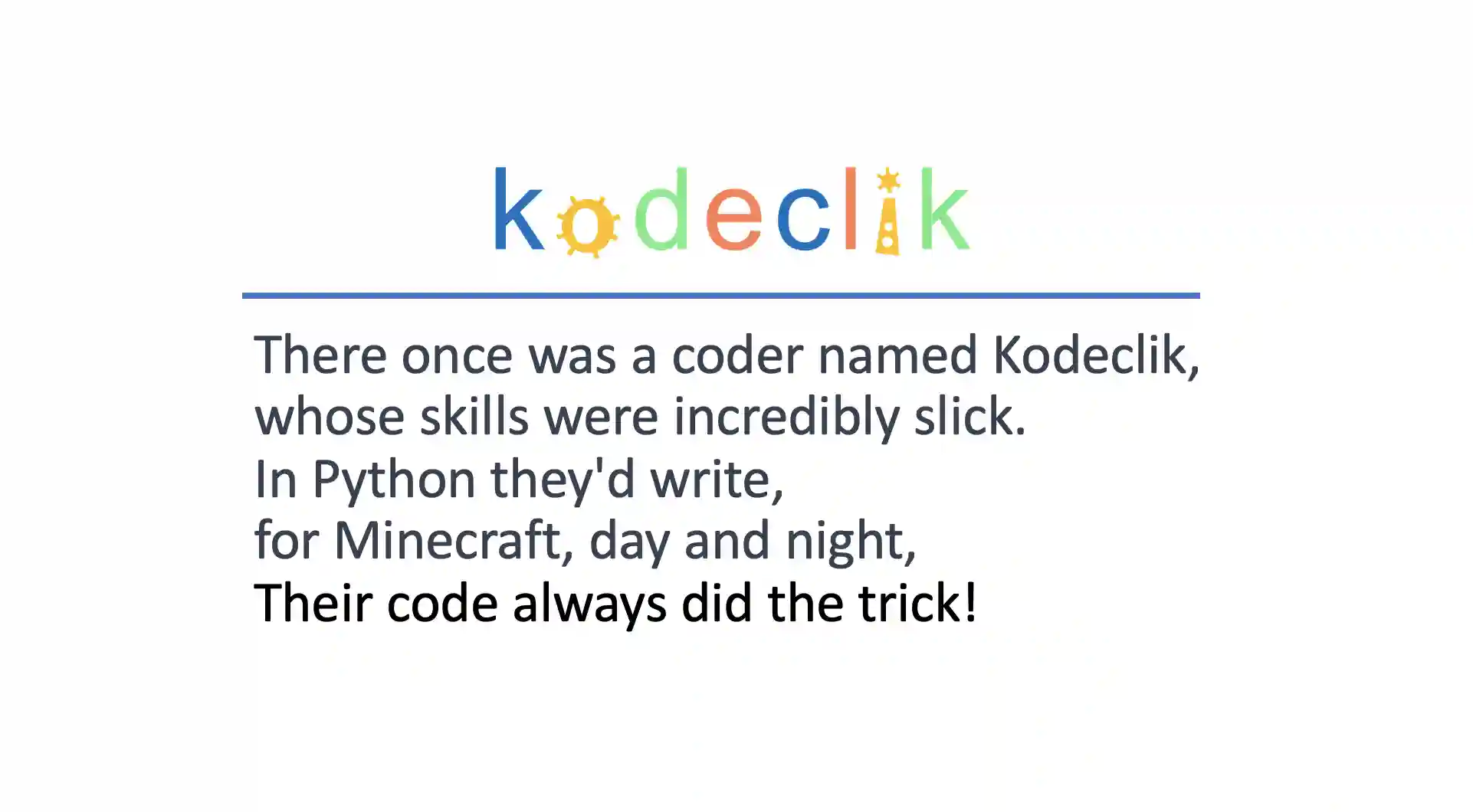
Consider the following limerick:

Python print line break

Note that, like all limericks, we have five lines of output. How exactly do we print this limerick? Let us learn the ways.

Method 1: Use a newline character (“\n”)

Let us first try printing the limerick the regular way:

print("There once was a coder named Kodeclik,
whose skills were incredibly slick.
In Python they'd write,
for Minecraft, day and night,
Their code always did the trick!")

In the above program we use a single print() statement and have pressed carriage return inside the string. This program will however not quite work. It will produce an output like:

File "main.py", line 1
  print("There once was a coder named Kodeclik,
        ^
SyntaxError: unterminated string literal (detected at line 1)

This is because the program is unable to interpret your string as containing new lines.

The simplest and most common way to print a line break in Python is by using the escape character "\n." When Python encounters this character in a string, it interprets it as a newline, causing the text following it to start on a new line. Here's an example: Thus, you can explicitly mention where you would like line breaks by using the “\n” character:

print("There once was a coder named Kodeclik,\\nwhose skills were 
incredibly slick.\\nIn Python they'd write,\\nfor Minecraft, day 
and night,\\nTheir code always did the trick!")

Now we have a program on a single line (make sure it is on one line rather than on multiple lines) but notice the “\n” characters. The output is what we expected:

There once was a coder named Kodeclik,
whose skills were incredibly slick.
In Python they'd write,
for Minecraft, day and night,
Their code always did the trick!

You can place \n anywhere inside a string to jump to the next line. For example, print("Hello\nWorld") shows “Hello” and then moves to a new line for “World.”

Method 2: Use the print() function with sep

Python's print() function accepts multiple arguments, separated by commas. Further, by giving a suitable separation character as an argument,, you can achieve a line break. So we could have printed our limerick in the following way:

print("There once was a coder named Kodeclik,",
"whose skills were incredibly slick.","In Python they'd write,",
"for Minecraft, day and night,","Their code always did the trick!",
sep='\\n')

Note the “sep=\n” argument. Also note that we do not have explicit line breaks anywhere else in the print statement. This will again produce our expected output:

There once was a coder named Kodeclik,
whose skills were incredibly slick.
In Python they'd write,
for Minecraft, day and night,
Their code always did the trick!

By default, print() ends with a newline. If you want to stay on the same line, set end="". For example: print("Loading", end="") keeps the cursor on the same line. Use end=" " if you want a space.

If you need the text to appear right away (like a progress indicator), add flush=True.

Method 3: Use Triple Quotes for Multi-Line Strings

Triple quotes (''' or """) are primarily used to define multi-line strings in Python. However, they can also be utilized to print output with line breaks. By enclosing your text within triple quotes and manually inserting line breaks, you can control the format of your output. Here's an example:

print('''There once was a coder named Kodeclik,
whose skills were incredibly slick.
In Python they'd write,
for Minecraft, day and night,
Their code always did the trick!''')

The output will be:

There once was a coder named Kodeclik,
whose skills were incredibly slick.
In Python they'd write,
for Minecraft, day and night,
Their code always did the trick!

Triple quotes let you type multi-line text directly without many \ns. It’s perfect for poems or signs.

Show the Characters \n Instead of Making a New Line

Sometimes you want to see \n in the printed string.

Type two backslashes: print("Hello\\nWorld") to display Hello\nWorld.

Or use print(repr("Hello\nWorld")) to show escape characters as text.

Print on the Same Line (No Newline)

To print many things on one line, use end="" inside print(). For instance, a loop can print 0 1 2 3 4 on one line by controlling end.

Overwrite the Same Line with \r

"\r" (carriage return) jumps the cursor back to the start of the line, so the next print can replace what you wrote. Combine it with end="" (and sometimes flush=True) to make a tiny progress bar.

Printing Variables Nicely (f-Strings)

To mix variables into text, f-strings are the easiest way: name="Ava"; print(f"Hello {name}"). You can even do math inside the braces: print(f"2+3={2+3}").

What does python -v do?

Running python -v makes Python “verbose”: it shows lots of import messages while your program starts. It’s useful for curious minds and for debugging imports. You can also set PYTHONVERBOSE=1 to get the same effect.

Want to pass -v to your script instead of Python itself? Put it after your script name: python yourscript.py -v. Arguments that come after the script go to your program.

Is print a command or a function?

In modern Python (Python 3), print is a function with handy options like sep, end, file, and flush. Long ago (Python 2), it was a statement.

Summary

Printing line breaks in Python is essential for enhancing the readability and formatting of your output. Whether you're displaying information to users or organizing data within the console, utilizing line breaks makes your code more user-friendly.

Here, we have seen three different ways to print a line break in Python, including the escape character "\n," the print() function with multiple arguments and a “sep” argument, and triple quotes for multi-line strings. By mastering these methods, you can effectively control the flow of your output and create visually appealing results. Which of the methods introduced here is your favorite?

We have also learnt about some of the interesting features of the print function, especially in regards to printing on the same line, over-writing line, and how the function works.

We hope you enjoyed learning about printing line breaks. If you liked this, learn about how to skip a line in Python.

Interested in more things Python? Checkout our post on Python queues. Also see our blogpost on Python's enumerate() capability. Also if you like Python+math content, see our blogpost on Magic Squares. Finally, master the Python print function!

Want to learn Python with us? Sign up for 1:1 or small group classes.

Kodeclik sidebar newsletter

Join our mailing list

Subscribe to get updates about our classes, camps, coupons, and more.

About

Kodeclik is an online coding academy for kids and teens to learn real world programming. Kids are introduced to coding in a fun and exciting way and are challeged to higher levels with engaging, high quality content.

Copyright @ Kodeclik 2025. All rights reserved.